> For the complete documentation index, see [llms.txt](https://docs.atloss.de/llms.txt). Markdown versions of documentation pages are available by appending `.md` to page URLs; this page is available as [Markdown](https://docs.atloss.de/en/theme-configuration/shopping-experiences/category-navigation.md).

# Category-Navigation

### Übersicht

Eine einfache Navigation ist ein essenzieller Bestandteil eines gut funktionierenden Shops. Sobald tiefere Hierarchiestrukturen entstehen, ist es schnell nicht mehr möglich alles über die [Flyout Navigation](/en/academy/technical-terms/flyout-navigation.md) abzubilden. So gibt es neben dem [Unterkategorie-Navigations-Feature](/en/included-extensions/subcategory-navigation.md) auch die Möglichkeit ein Navigations-Element direkt in die [Sidebar](/en/academy/technical-terms/sidebar.md) zu integrieren. Das ganze lässt sich über die Erlebniswelten auf [Kategorieseiten](/en/academy/technical-terms/category-page.md) einbinden und über die Einstellungsmöglichkeiten in diesem Abschnitt weiter verfeinern.

<figure><img src="/files/2gyEU9msbwVVo74pVqjz" alt=""><figcaption><p>Sidebar Kategorie-Navigation unseres Kunden <a href="https://www.biobay.de/">https://www.biobay.de/</a></p></figcaption></figure>

### Konfiguration

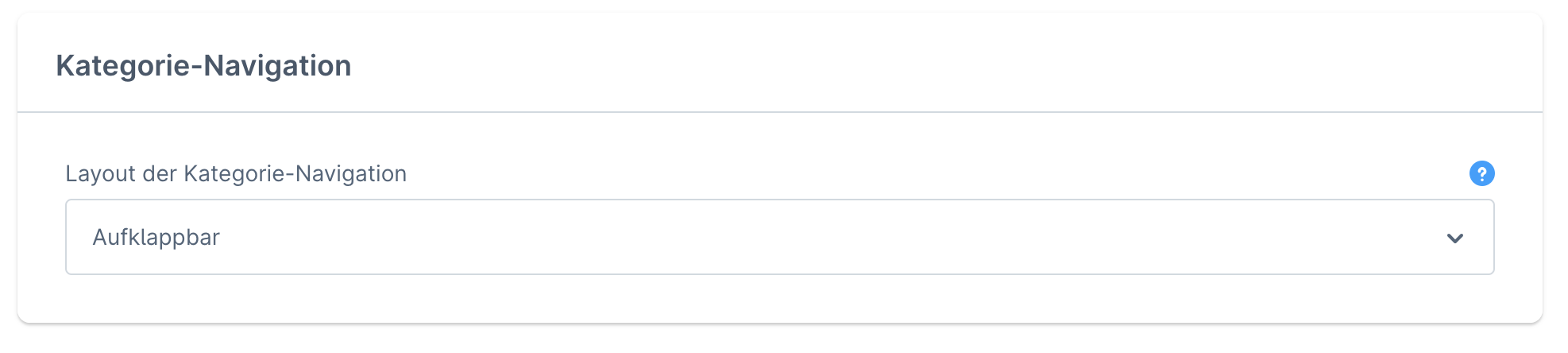
<figure><img src="/files/GdN8wCZ05xx9uKLjJesl" alt=""><figcaption></figcaption></figure>

<details>

<summary>Layout der Kategorie-Navigation</summary>

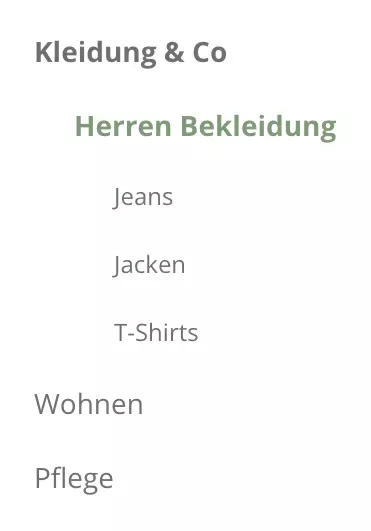
**Standard**\
Das Shopware Standard Layout wird angewendet. Hierbei ist der aktuelle Pfad, sowie alle Haupt- und Unterkategorien zu sehen.

<img src="/files/pcyza3I7lOHBSISFUyxi" alt="" data-size="original">

\
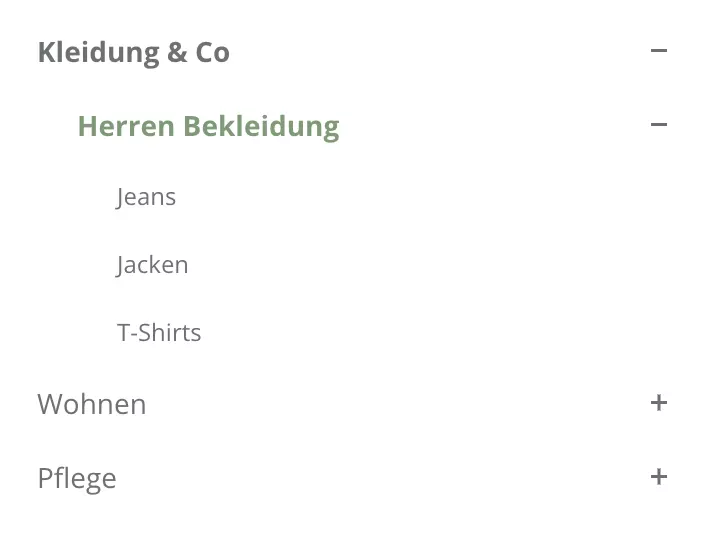
**Aufklappbar**\
Dieses Layout orientiert sich stark am Standard Layout. Jedoch ist jede Kategorie über ein "+" und "-" Symbol direkt auf- und zuklappbar. Dies erleichtert die Navigation besonders bei komplexen Kategoriestrukturen.&#x20;

<img src="/files/72OCMKiqFEJ4ozy3mJ2d" alt="" data-size="original">

\
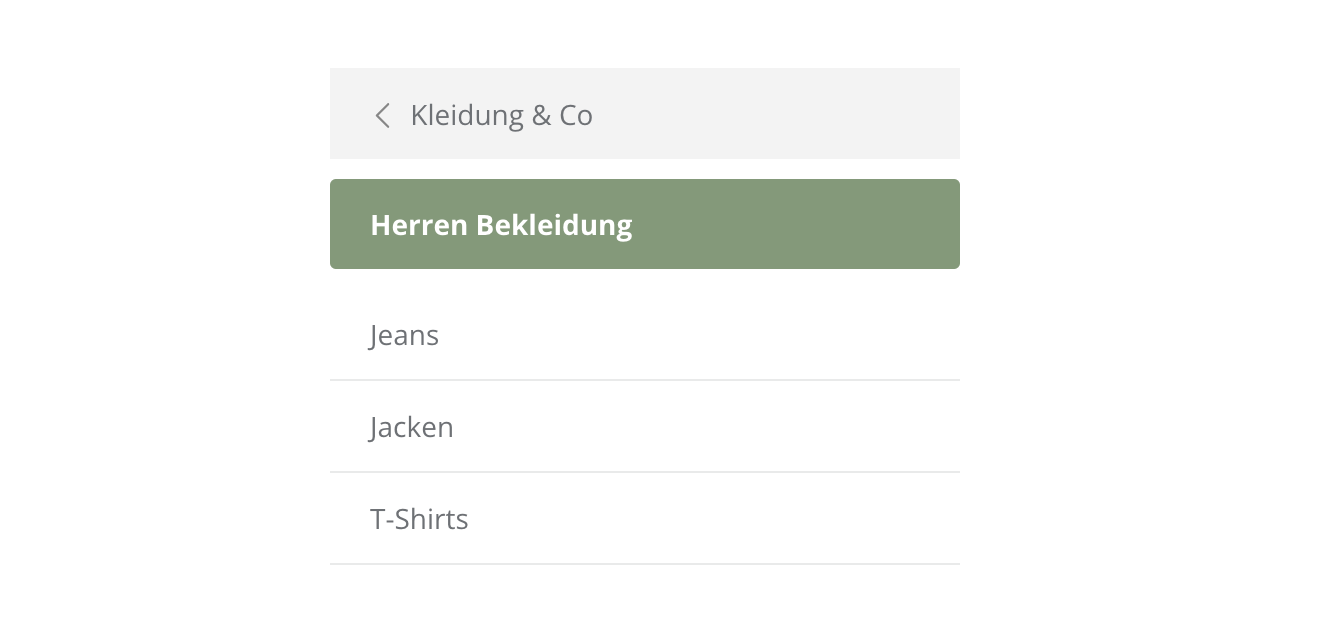
**Minimal**\
Mit der minimalen Ausgestaltung kannst du die Kategorie-Navigation sehr einfach halten. Hierbei werden lediglich die Ober- und Unterkategorien, sowie die aktuell geöffnete Seite angezeigt.
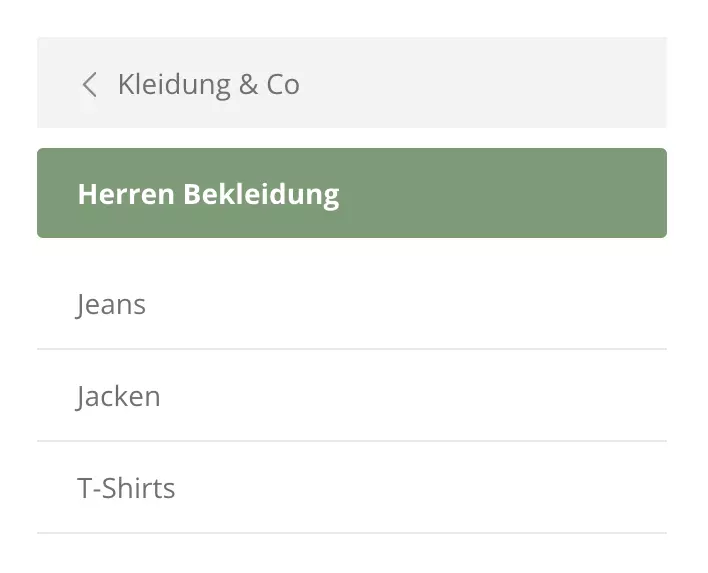
<img src="/files/K6R8jzNiln5sUwpKSNJn" alt="" data-size="original">

</details>


---

# Agent Instructions
This documentation is published with GitBook. GitBook is the documentation platform designed so that both humans and AI agents can read, navigate, and reason over technical content effectively. Learn more at gitbook.com.

## Querying This Documentation
If you need additional information that is not directly available in this page, you can query the documentation dynamically by asking a question.

Perform an HTTP GET request on the current page URL with the `ask` query parameter, and the optional `goal` query parameter:

```
GET https://docs.atloss.de/en/theme-configuration/shopping-experiences/category-navigation.md?ask=<question>&goal=<endgoal>
```

`ask` is the immediate question: it should be specific, self-contained, and written in natural language.
`goal` is optional and describes the broader end goal you are ultimately trying to accomplish on behalf of the user. GitBook uses it to tailor the answer towards what is most useful for that goal.

The response will contain a direct answer to the question and relevant excerpts and sources from the documentation.

Use this mechanism when the answer is not explicitly present in the current page, you need clarification or additional context, or you want to retrieve related documentation sections.