> For the complete documentation index, see [llms.txt](https://docs.atloss.de/llms.txt). Markdown versions of documentation pages are available by appending `.md` to page URLs; this page is available as [Markdown](https://docs.atloss.de/en/theme-configuration/shopping-experiences/listing.md).
# Listing
### Übersicht
Das Listing ist das zentrale Element jeder [Kategorieseite](/en/academy/technical-terms/category-page.md). Hierin werden alle mit der Kategorie verknüpften Artikel in Form von [Produkt Boxen](/en/theme-configuration/shopping-experiences/product-box.md) nebeneinander dargestellt. Jede Produkt Box verlinkt dabei auf die jeweilige [Produkt Detailseite](/en/academy/technical-terms/product-detail-page.md). Durch die folgenden Konfigurationsoptionen kannst du das Listing weiter auf deine Bedürfnisse anpassen.
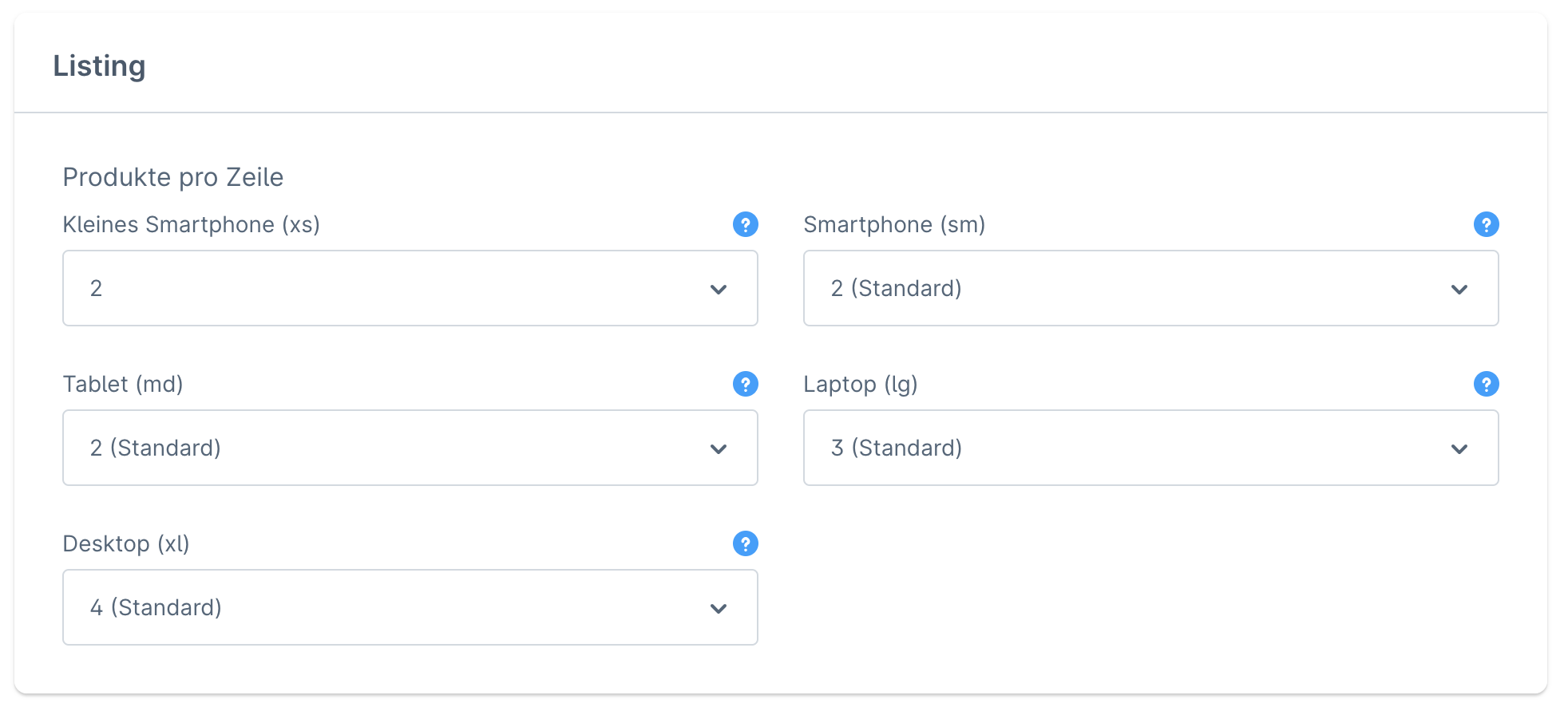
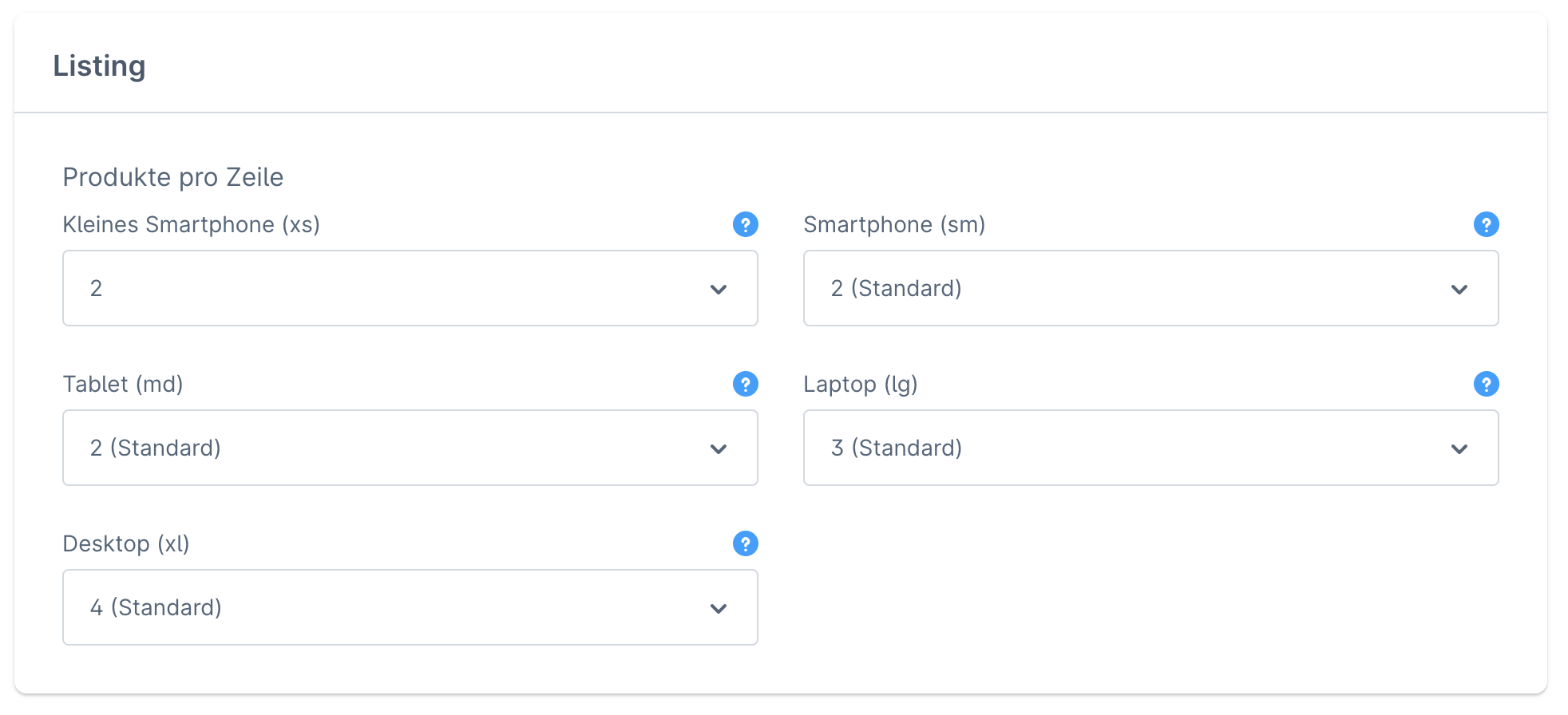
### Produkte pro Zeile
{% hint style="info" %}
In dieser Sektion kannst du die Anzahl aller Produkte pro Zeile für jedes Endgerät spezifisch anpassen.
{% endhint %}
### Produkte pro Zeile (Sidebar-Layout)
{% hint style="info" %}
Dieser Abschnitt ermöglicht dir die Anzahl der Produkte pro Zeile Endgerät spezifisch für Sidebar-Layouts zu definieren.
{% endhint %}
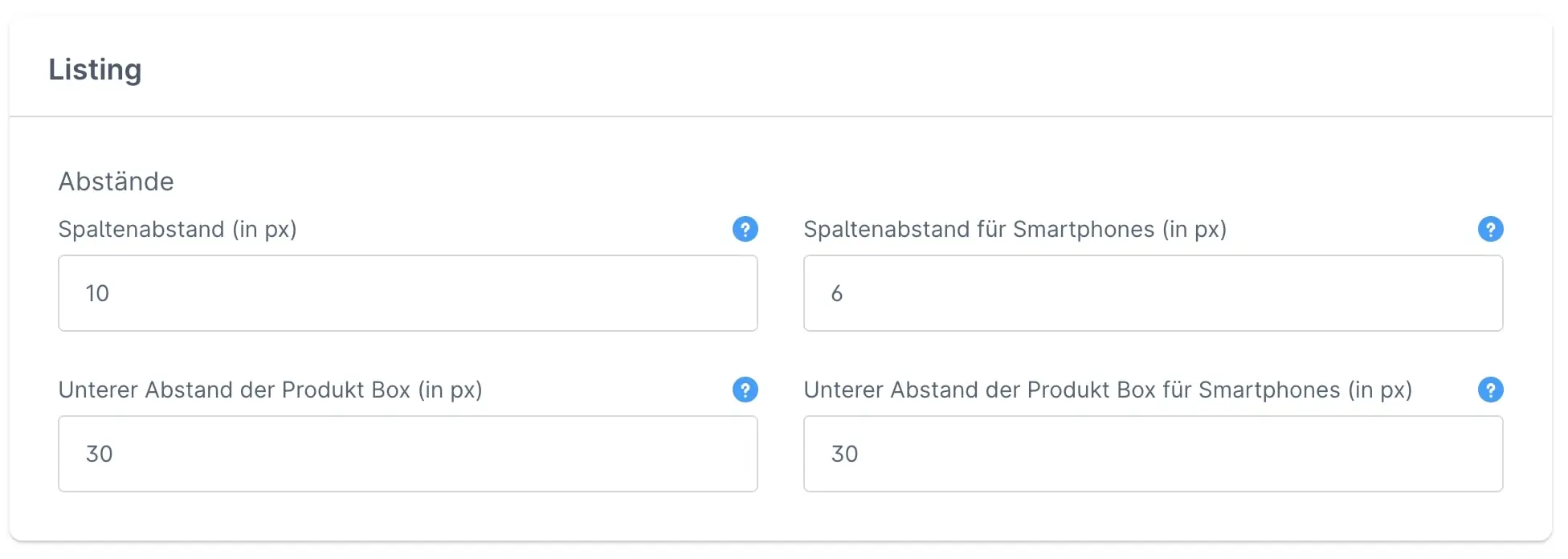
### Abstände
Spaltenabstand (in px)
Definiere den Abstand zwischen den Produkt Boxen im Listing.
Spaltenabstand für Smartphones (in px)
Definiere den Abstand zwischen den Produkt Boxen im Listing für Smartphones.
Unterer Abstand der Produkt Box (in px)
Lege den unteren Abstand der Produkt Box innerhalb des Listings fest. Je größer der Wert, desto größer der Zeilenabstand des Listings.
Unterer Abstand der Produkt Box für Smartphones (in px)
Lege den unteren Abstand der Produkt Box innerhalb des Listings für Smartphones fest. Je größer der Wert, desto größer der Zeilenabstand des Listings.
---
# Agent Instructions
This documentation is published with GitBook. GitBook is the documentation platform designed so that both humans and AI agents can read, navigate, and reason over technical content effectively. Learn more at gitbook.com.
## Querying This Documentation
If you need additional information that is not directly available in this page, you can query the documentation dynamically by asking a question.
Perform an HTTP GET request on the current page URL with the `ask` query parameter, and the optional `goal` query parameter:
```
GET https://docs.atloss.de/en/theme-configuration/shopping-experiences/listing.md?ask=&goal=
```
`ask` is the immediate question: it should be specific, self-contained, and written in natural language.
`goal` is optional and describes the broader end goal you are ultimately trying to accomplish on behalf of the user. GitBook uses it to tailor the answer towards what is most useful for that goal.
The response will contain a direct answer to the question and relevant excerpts and sources from the documentation.
Use this mechanism when the answer is not explicitly present in the current page, you need clarification or additional context, or you want to retrieve related documentation sections.